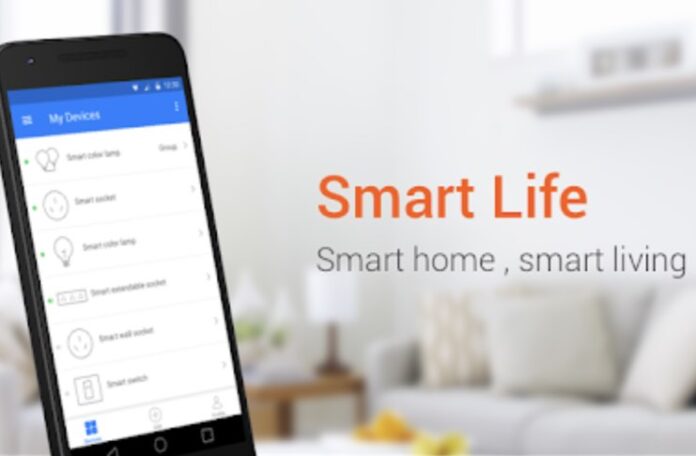
Managing the diverse technological needs of a home business or self-employed setup requires efficiency, security, and a single point of control. Juggling separate apps for lighting, security, and office equipment is unproductive. Smart Life Smart Living consolidates control of your entire connected ecosystem—both your home and your workspace—into one intuitive PC platform. Running it on your desktop transforms how you interact with your home business automation, supporting thousands of compatible devices and delivering the expanded functionality that work-from-home professionals demand. In this post, as part of our small business tips, we’ll explore all you need to know about Smart Life for your home business.
💼 Streamlined Home Business Management at Your Fingertips
Smart Life Smart Living is a leading automation controller because of its practical design and extensive device compatibility, making it perfect for the self-employed professional. It connects seamlessly with WiFi-enabled products critical to a home business, ranging from office lighting and smart plugs for equipment to security cameras and climate systems.
-
Centralized Command: Gain unified control over your workspace infrastructure without switching between multiple manufacturer-specific applications.
-
Voice Control Integration: Use Amazon Alexa or Google Assistant to manage office settings hands-free while on a call or typing.
-
Real-time Monitoring: Get instant status updates on security feeds, temperature, and device power consumption, ensuring the safety and optimal function of your home business environment.
The platform’s accessibility means even technology newcomers can configure devices within minutes, allowing you to focus on client work instead of technical setup.
📈 Professional-Grade Features for the Home Business Owner
The core capabilities of Smart Life are perfectly suited for the needs of a small business or self-employed individual operating from home:
| Core Capability | Home Business Application |
| 1. Device Grouping | Separate “Office Equipment” from “Home Lighting” for efficient management. |
| 2. Automation Scheduling | Automatically turn on monitors/printers at 9 AM and power off non-essential devices after your workday (e.g., 6 PM). |
| 3. Scene Creation | A “Client Meeting” scene could simultaneously adjust office lighting, lower the thermostat, and set the entry camera to privacy mode. |
| 4. Remote Access | Control the security and temperature of your home office while away on a business trip or vacation. |
| 5. Energy Monitoring | Track power consumption of office equipment (PC, printer, etc.) to optimize utility costs and manage overhead. |
The platform’s sophisticated scheduling engine enables critical sequences for home business efficiency. For instance, program a security protocol that activates and notifies you instantly if office doors open outside of business hours.
🖥️ Why Desktop Operation Enhances Your Home Business Workflow
Operating Smart Life on PC delivers unique advantages critical for productivity and complex management that a mobile device cannot match.
-
Expanded Real Estate: The larger screen transforms device management, allowing simultaneous monitoring of multiple security camera feeds (e.g., office door and equipment storage) or a comprehensive dashboard view of all connected devices.
-
Accelerated Configuration: Keyboard input speeds up configuration tasks, essential when naming devices (e.g., “Main Printer,” “Client Area Light”) or programming complex automation sequences for your small business.
-
Desktop Stability: For work-from-home professionals managing extensive networks (e.g., dedicated server, multiple monitors, security system), the PC environment provides consistent performance during updates and system-wide changes, minimizing disruptive downtime.
-
Seamless Multi-tasking: Monitor security cameras in a small window while drafting emails, adjust office temperature without interrupting financial software, or manage home/office settings discreetly during video calls. This integration seamlessly blends smart home and business management into your daily workflow.
💡 Target Audience and Practical Applications for Home Business
Smart Life Smart Living is an ideal tool for diverse segments of the home business community:
-
Independent Consultants/Freelancers: Appreciate the ability to streamline their daily routine and minimize distractions.
-
E-commerce/Small Shop Owners: Value the ability to monitor storage areas or packaging stations remotely via camera feeds and ensure climate control protects inventory.
-
Creative Professionals (Artists/Designers): Benefit from precise environmental controls (e.g., lighting color and temperature) crucial for creative work.
The platform excels in creating a professional, secure, and energy-efficient workspace. According to industry reports, unified control platforms reduce device management time by approximately 40%, allowing the self-employed to spend more time generating revenue.
🛠️ Installation Guide: Running Smart Life on Windows
Since Smart Life Smart Living operates as an Android application, accessing it on PC requires an emulator. Download BlueStacks and complete the installation process. Launch the emulator, sign in to your Google account, then open the Play Store interface. Search for “smartlife” and click Install. Once installation completes, the application appears in your BlueStacks home screen, ready to become your home business control center.
Watch this video to learn more:
🎯 Target Audience and Practical Applications for the Home Business
Smart Life Smart Living is uniquely positioned to serve the diverse needs of the modern home business and self-employed professional.
It is an ideal tool for:
-
Independent Consultants & Freelancers: Automation schedules turn the “home” into the “office” and back again, ensuring focus on client work without management distractions.
-
E-commerce & Small Shop Owners: It provides remote monitoring of inventory storage and packaging areas via unified camera feeds, enhancing security and operational oversight.
-
Creative Professionals (e.g., Designers, Videographers): It offers precise control over the workspace environment (lighting, temperature) crucial for color accuracy and comfort during long, focused production sessions.
-
Remote Managers & Salespeople: It enables efficient control of the home office environment while traveling. Remote access ensures security systems are armed and devices are powered down, reducing energy waste and risk.
The platform excels in creating a professional, secure, and energy-efficient workspace that adheres to the strict boundaries needed for a work-from-home business.
The Productivity Advantage: According to industry reports, unified control platforms reduce device management time by approximately 40% compared to using individual manufacturer apps. This time saving is directly converted into billable hours or business development effort for the self-employed professional.

Danella Yaptinchay is the managing director of Full Suite, a service company providing back end support to small businesses. She is a cofounder of Co.lab, a coworking space, and of the media company Homegrown.ph. In constant pursuit of balance and self-development, she tries to apply the practices of yoga to her daily life.